PLANNER.STUDIO Shopify admin app






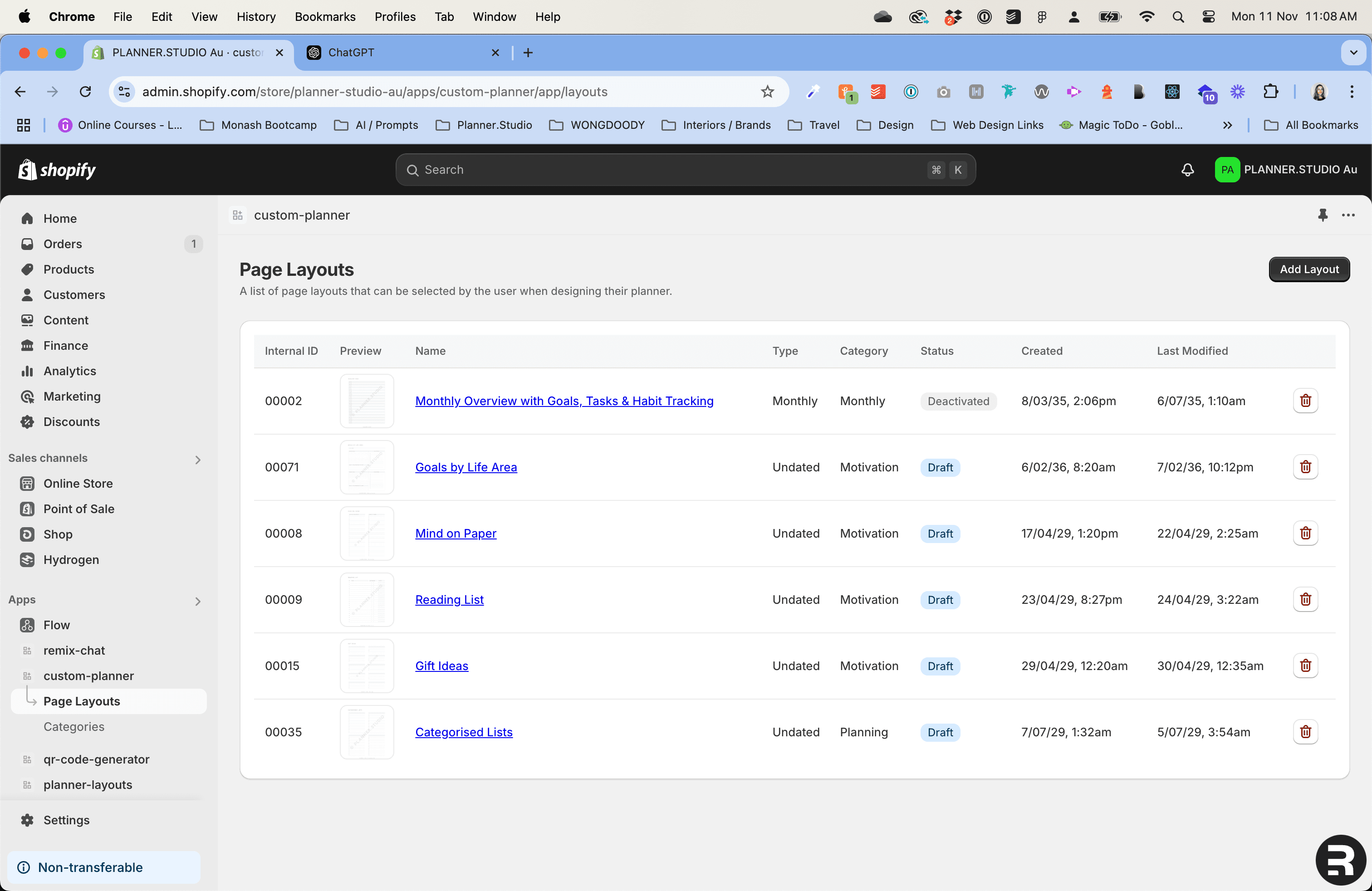
List of page layouts within the Shopify admin app.
Overview
The Shopify admin app was built for my business PLANNER.STUDIO to serve as the back-end for its planner customisation tool. It allows me to manage page layouts, convert PDFs to watermarked JPEGs, and run validation checks to ensure pages I upload are accurate when they get added to customers' planners. This project has simplified my workflow significantly and reduced my anxiety with multiple layers of error prevention.
Project Purpose and Goal
The primary goals of this app were to streamline layout management and reduce the need for me to triple-check products before sending to the customer. Up until recently I would manually compile pages in Adobe Acrobat. It was easy for me to make mistakes and to end up with inconsistencies between the pages customers chose and what was actually printed. Another motivation was to automate the conversion of uploaded PDFs into low-resolution, watermarked images, reducing the appeal of printing planner pages without purchase.
Web Stack and Explanation
The project was built using the Shopify embedded app workflow, which uses the Remix framework with Polaris React components, alongside a GraphQL API for accessing Shopify-specific data. I also set up a custom MongoDB database for storing planner page data, as well as another GraphQL layer and Google Cloud Storage buckets to host page layout PDFs and images.
Challenges and Process
One challenge I faced during this project was learning how to integrate data from multiple sources. The app uses data from both the Shopify GraphQL API, as well as a custom MongoDB database I set up, which contains page layout and customer design data. Shopify provides limited flexibility for adding custom data to its API and I wanted to ensure I could design my schema in a way that suited its application.
Working with Google Cloud was another learning curve — learning how to upload files remotely and connect to protected storage buckets.
Ensuring planner page files are accurate when uploaded was also a critical part of this project. I implemented multiple checks, including cross-referencing uploaded file metadata with layout information in the database. Layouts cannot be marked as 'active' on the website until all conditions are met. The app also automatically deactivates layouts that don’t have at least two years of pages available, ensuring that customers always have a complete selection of pages for their planner.
Lessons Learned
This project taught me a lot about Remix and working with Shopify as a developer. It also enhanced my skills in database design and management, particularly working with MongoDB, Mongoose, and GraphQL. Iterating on the schema design multiple times helped me achieve a clean structure that met my current business requirements. Overall, it was a challenging but satisfying full-stack project that will make managing my business a less stressful experience.
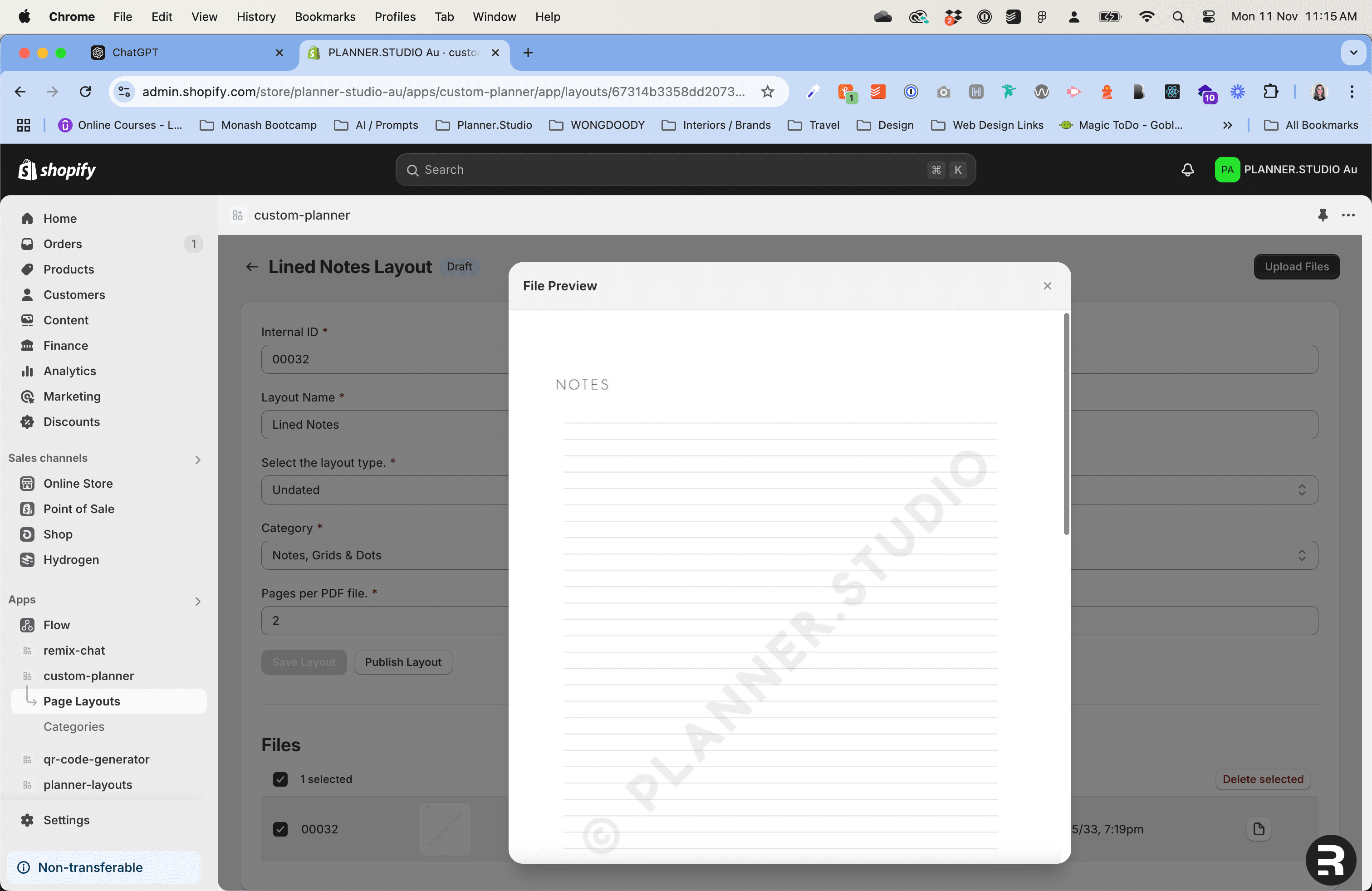
Watermarked images are generated when PDFs are uploaded to the Shopify admin app.
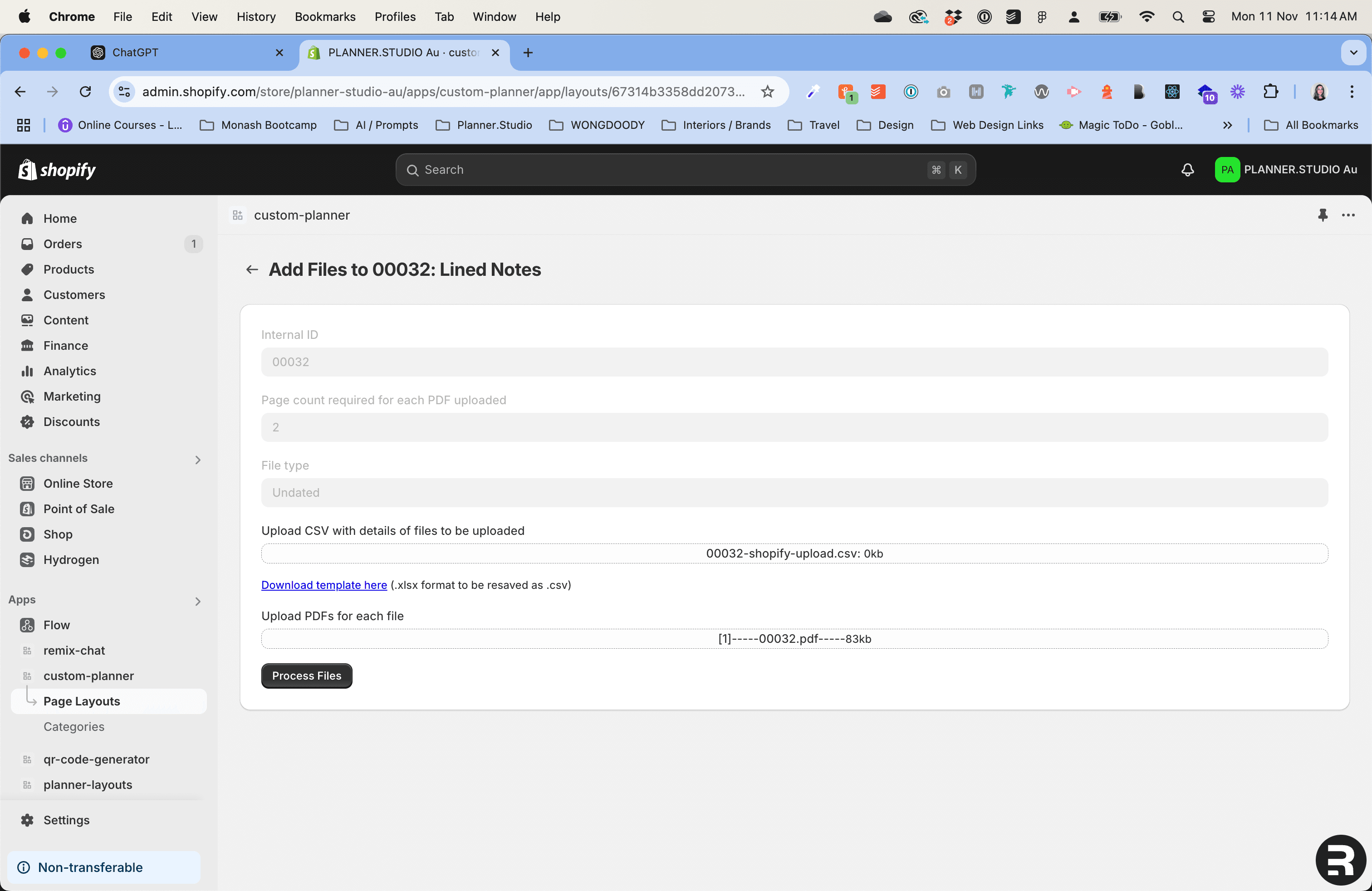
Uploading PDF files to the Shopify admin app.